-
For customer account management first screen you will see is shown below.

-
Click on button “Next” in first screen & you will be on below screen, like employee management setup you can manage customer in two ways (In subgroups or indivually).

-
Here I am showing you to “Manage customer account In groups”. Click “Next” button after selecting the option & go to next screen.

-
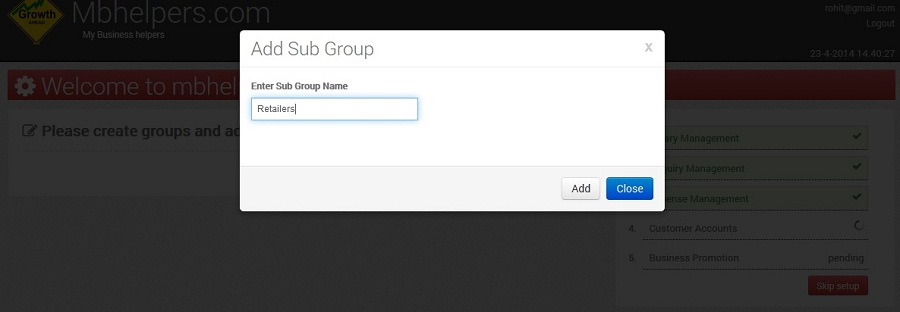
Click on “+” button shown in upper screen for adding groups & it will open dialog box for adding subgroup. Fill the name and Click on “Add” button.
-
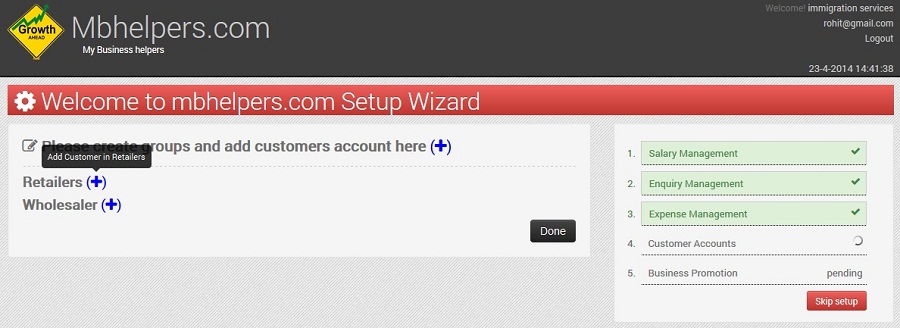
Repeat Step 3 for adding more subgroups.
-
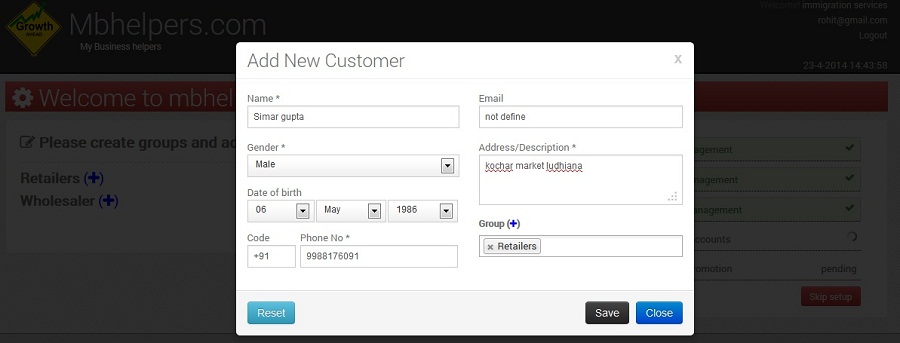
For adding customer accounts under different categories click on “+” button in front of respective categories.On clicking “+” button in the upper screen dialog window will open , fill the information and click on “Save” button
-
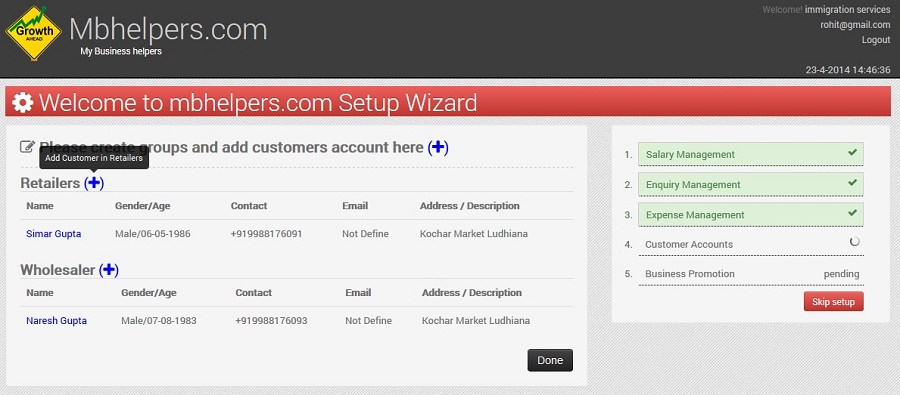
Repeat step 6 for adding more customer accounts. After adding accounts it will show something like below screen.
-
After adding all the accounts click “Done” button to finish the customer account management setup.
